Sprite Converter
Convert custom artwork into PokeRogue-ready sprites and verify the output before injecting.
Converter Tool
Upload / convert / preview / download
Without JSON, the entire image is treated as one frame.
Upload Guide
Inputs accepted by the converter
Animated Sprite
Spritesheet PNG plus JSON atlas
PNG + JSON
Static Sprite
Single transparent PNG image
PNG only
Upload slots per Pokemon
REQUIRED front sprite PNG and JSON
optional back sprite
optional shiny front sprite
optional shiny back sprite
Accepted JSON formats
TexturePacker
{ textures: [{ frames: [...] }] } - Used directlyRaw Dict
{ frames: { "0": {x,y,w,h}, ... } } - Auto-convertedRaw List
{ frames: [{x,y,w,h}, ...] } - Auto-convertedSprite creation options
Generate pixel art, use TexturePacker, or draw in Photoshop/Aseprite. Transparent PNG backgrounds are required.
Transparent background required. Remove solid backgrounds before uploading.
Default Example: Mankey (#056)
Reference sprite sheet and TexturePacker JSON shape
56.png / spritesheet
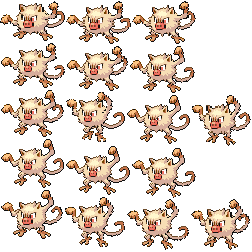
56.json / TexturePacker format
{
  "textures": [{
    "image": "56.png",
    "frames": [{
      "filename": "0001.png",
      "trimmed": true,
      "sourceSize": { "w": 66, "h": 61 },
      "spriteSourceSize": { "x": 0, "y": 19, "w": 66, "h": 42 },
      "frame": { "x": 0, "y": 0, "w": 66, "h": 42 }
    }]
  }]
}
PokeRogue uses TexturePacker-style atlases. The converter generates this structure from compatible inputs.
Default Example: Rookidee (#821)
A static default sprite with one visible frame

821.png
1 frame / static
Some default Pokemon sprites are static. That means a custom upload can also work without animation as long as the PNG has a transparent background and the converter can map it cleanly.
Custom Example #2001: Raw Dict JSON
A 5x5 source grid with explicit frame coordinates
2001.png / 5x5 grid source
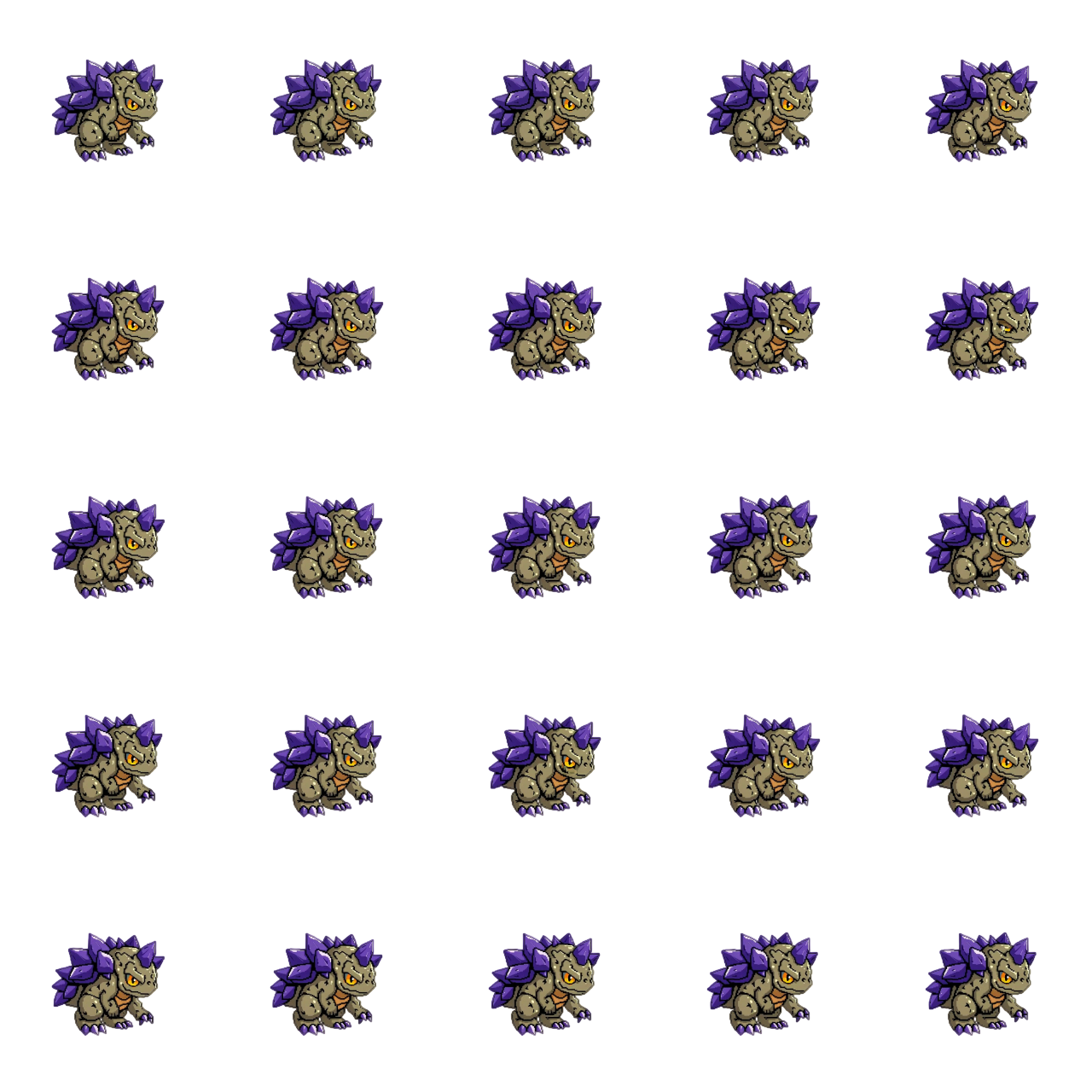
2001.json / raw dict format
{
  "frames": {
    "0": { "x": 0, "y": 0, "w": 256, "h": 256 },
    "1": { "x": 256, "y": 0, "w": 256, "h": 256 },
    "2": { "x": 512, "y": 0, "w": 256, "h": 256 },
    "...": "...",
    "24": { "x": 1024, "y": 1024, "w": 256, "h": 256 }
  },
  "meta": {
    "size": { "w": 1280, "h": 1280 },
    "frame_size": { "w": 256, "h": 256 }
  }
}
The converter reads each coordinate, resizes the frames, pads them into a stable canvas, and exports TexturePacker-style JSON.
Custom Example #2002: No JSON Upload
The fastest path for a single-frame custom Pokemon test
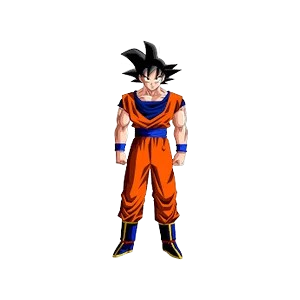
2002.png
PNG only / no JSON
1Upload a transparent PNG image.
2Leave the JSON field empty.
3The converter treats the entire image as one frame.
4The result is a static sprite that can be upgraded with animation later.
Transparent background required. A solid white, black, or colored background should be removed before upload.